Hacker News MCP
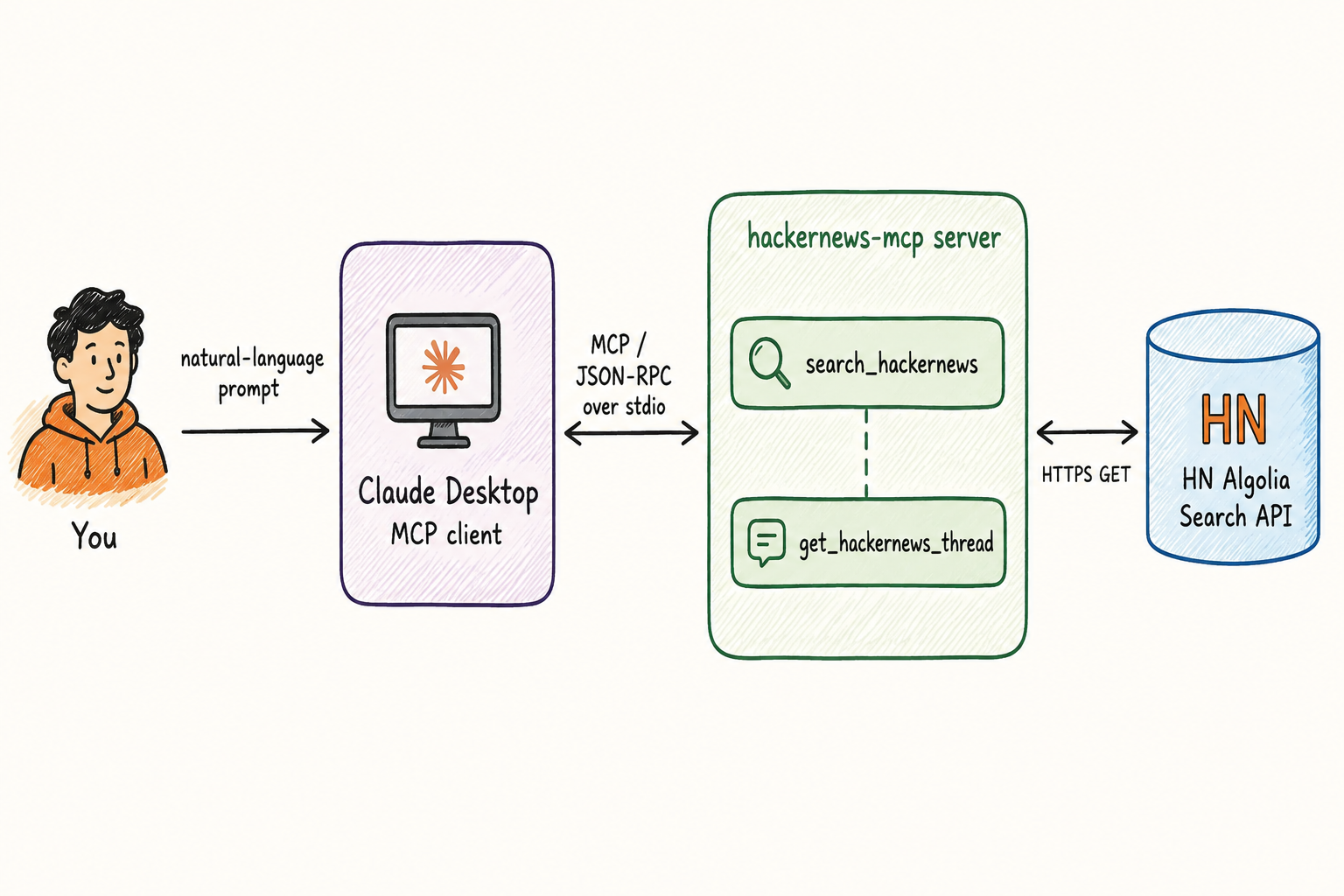
An MCP server that lets Claude (or any MCP client) search and read Hacker News, backed by HN's free Algolia search API. Ask in plain language; Claude calls the tools. Source on GitHub.
What's in the demo
Two MCP tools that compose — search surfaces a story, then a follow-up dives into its comments. Both are thin wrappers over HN Algolia.
search_hackernews— search stories and comments by query, with filters for tag (story/comment/ask_hn/show_hn), time range, sort (relevance or date), and result limit.get_hackernews_thread— fetch a story's comment tree by id, flattened depth-first and bounded bymax_commentsandmax_depthto keep the response within an honest token budget. Returns atruncatedflag when trimmed.
It in motion
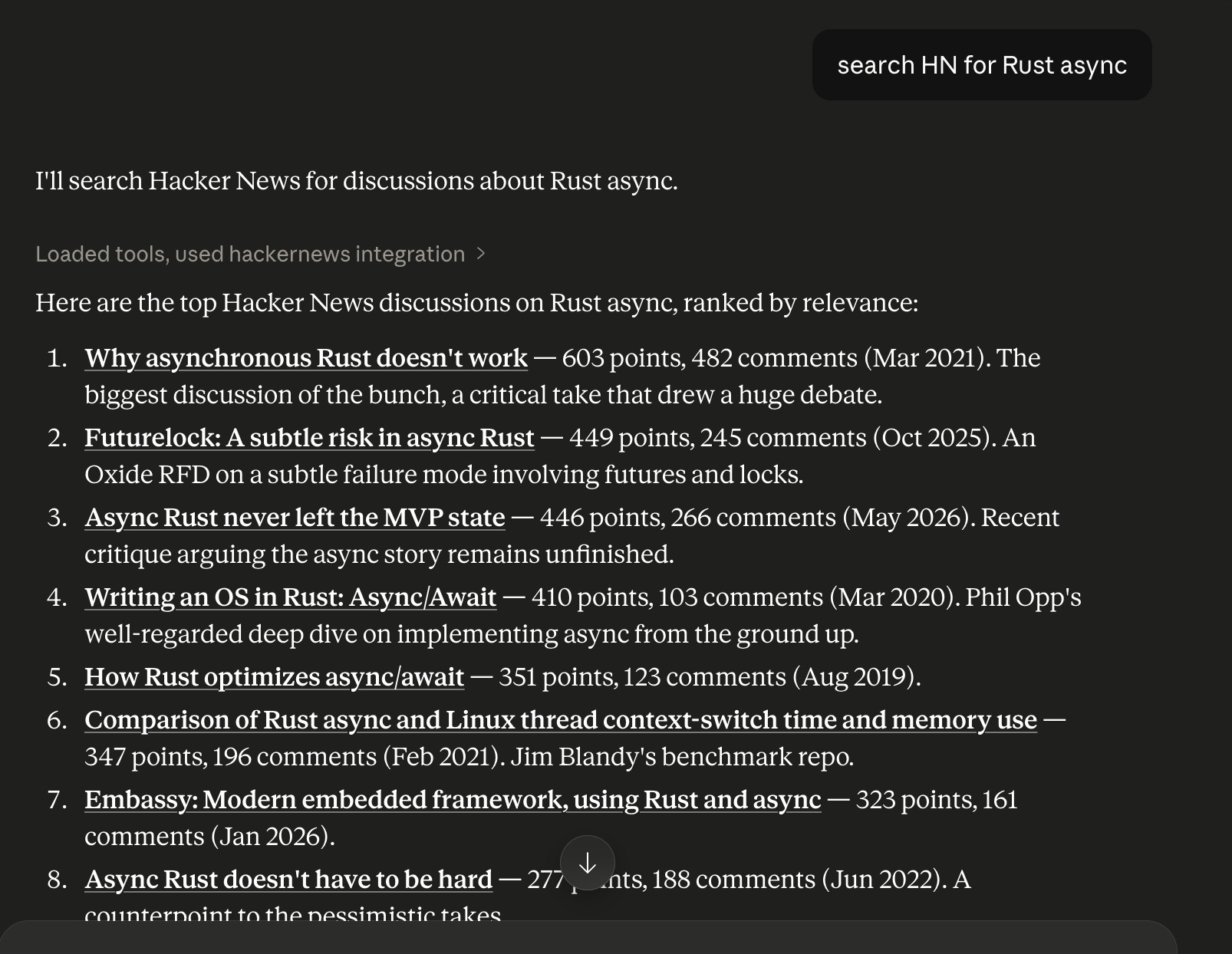
Claude answers “search HN for Rust async” by calling search_hackernews and ranking the results:
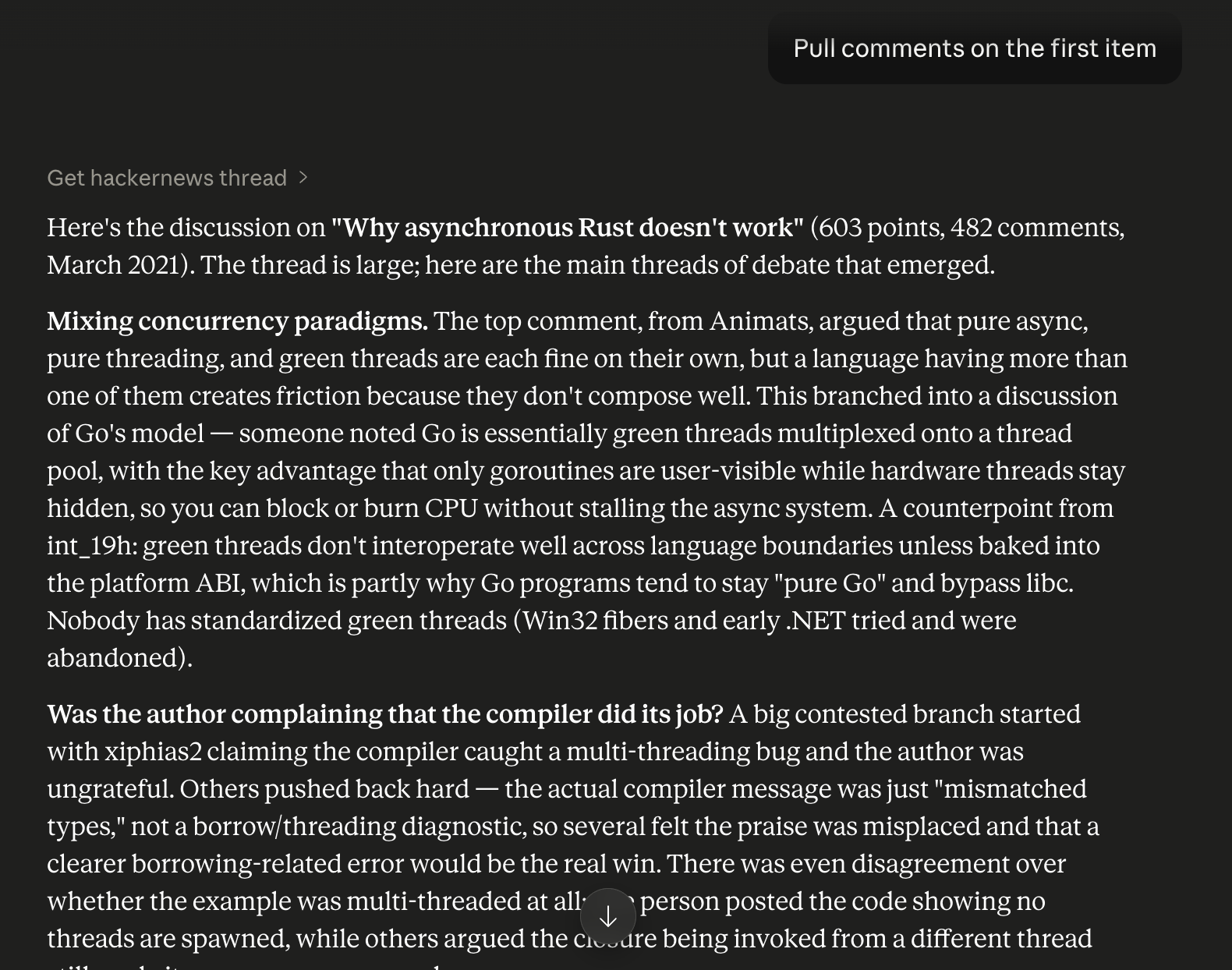
A follow-up like “dive into the comments on the top one” composes the story id from the first call straight into get_hackernews_thread:
Tech stack
- Python 3.11+ with the official MCP Python SDK
- stdio transport — Claude Desktop launches the server as a subprocess and talks to it over standard streams; nothing to host
- httpx async client with a 10-second timeout and a typed error contract for upstream 4xx/5xx, network timeouts, and input validation
- uv for dependency management; ruff + pyright + pytest in development
- CI on every PR (lint, format, type-check, tests) across Python 3.11 and 3.12; the suite mocks Algolia and never hits the network, with a gated live smoke test for manual verification
Run it yourself
Clone, sync deps with uv sync, and point Claude Desktop at the server with a four-line entry in claude_desktop_config.json. Full walkthrough — config-file locations, troubleshooting, and example transcripts — in the Claude Desktop guide and the examples directory.